
AC + AP: Whole-Home Wi-Fi with Roaming
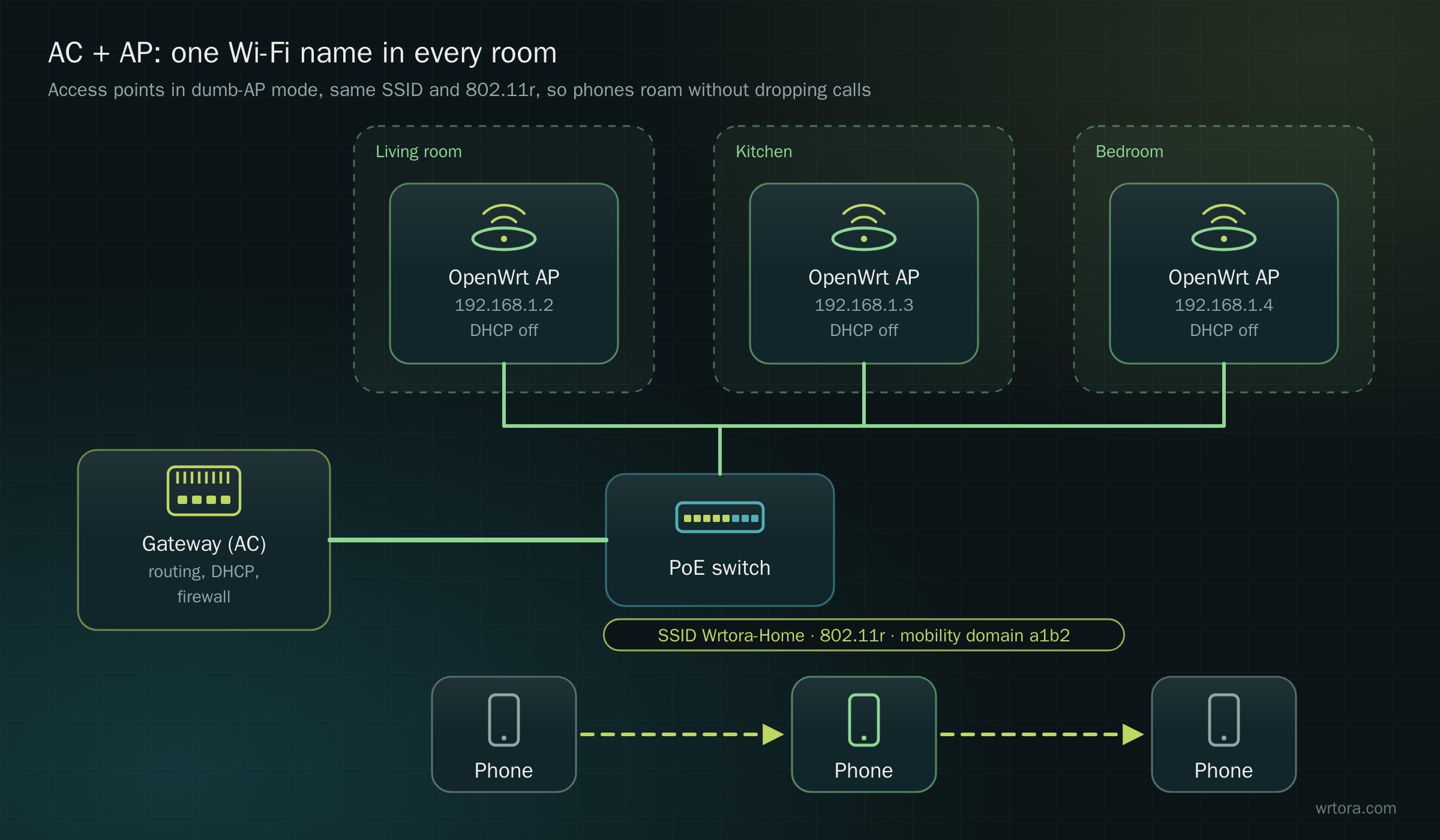
For a large home or office, one router is not enough. The reliable answer is AC + AP: one gateway does the routing (the "AC" or controller role) and Ethernet-wired access points in each area only do Wi-Fi. With OpenWrt on every AP and 802.11r enabled, phones hand over between APs without dropping calls.
1. Turn each AP into a "dumb AP"
On each access point (connected to the switch with a LAN port):
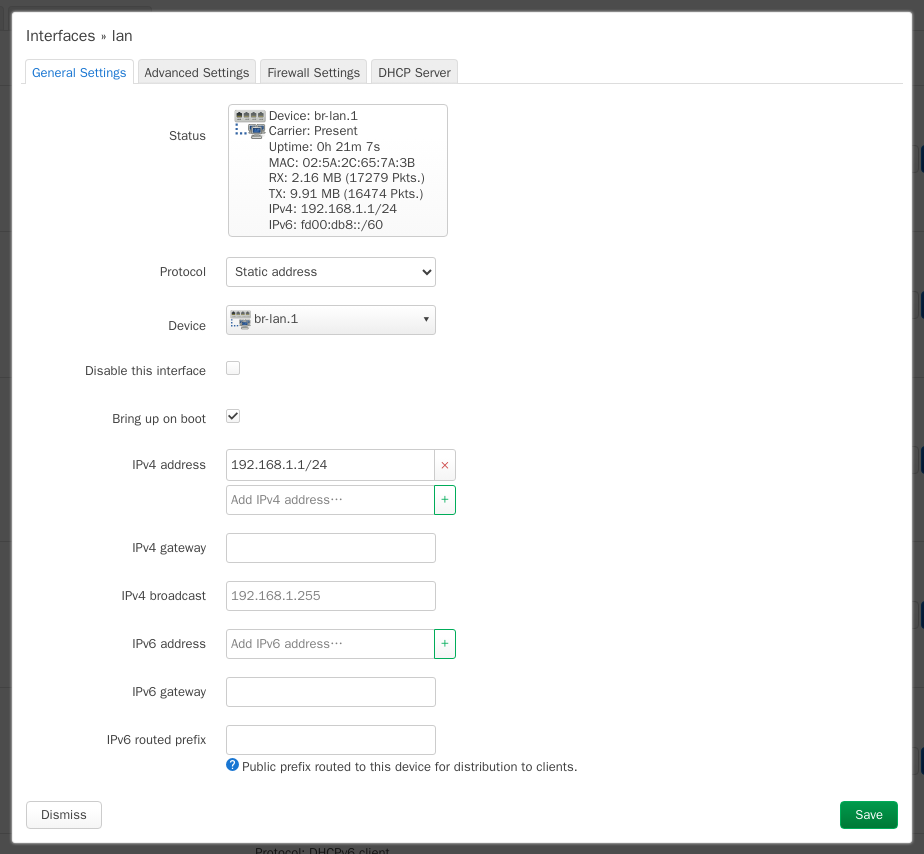
- Network → Interfaces → lan: give it a fixed address in the main network (192.168.1.2, .3, .4 …), set IPv4 gateway and DNS to the gateway 192.168.1.1
- lan → DHCP Server → tick Ignore interface: only the gateway hands out addresses
- The AP's wan port and firewall are not used; you can delete the wan and wan6 interfaces
2. Same Wi-Fi everywhere
Use exactly the same ESSID, encryption and passphrase on every AP, attached to lan.
3. Fast roaming with 802.11r
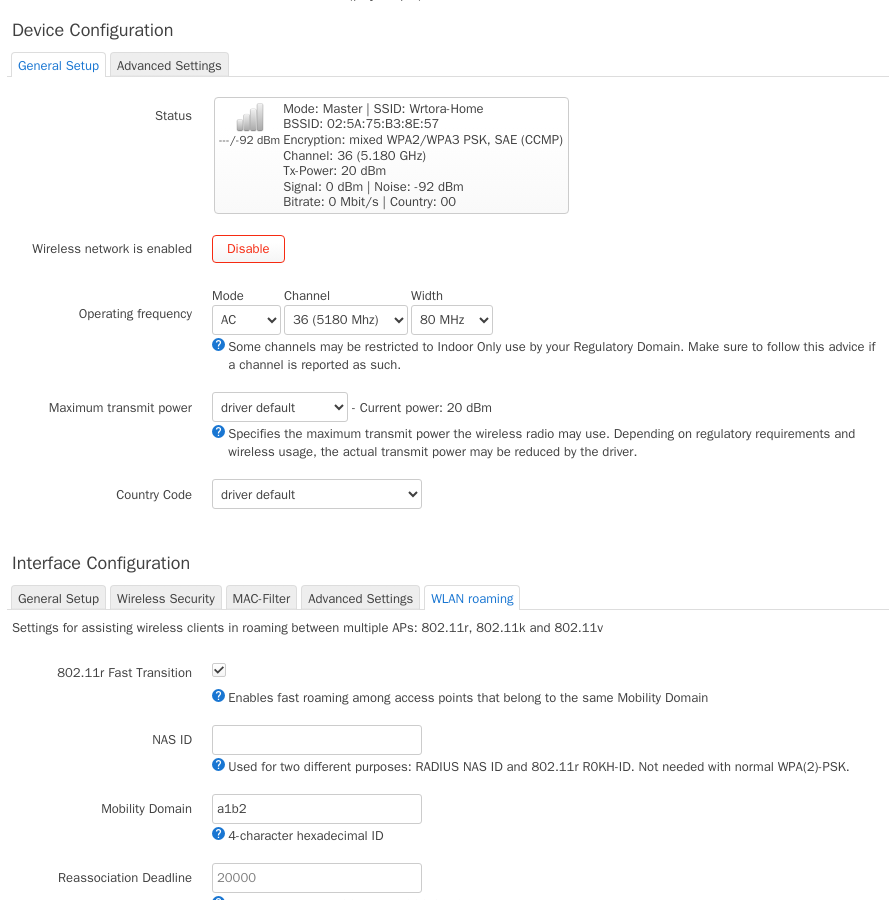
On each AP's network → WLAN roaming tab:
- Tick 802.11r Fast Transition
- Mobility Domain: the same 4-digit hex value on every AP, e.g. a1b2
- Keep FT over the air and Generate PMK locally (the defaults for WPA2/WPA3 personal)
4. Channels
- 5 GHz: give neighbouring APs different channels (36, 52, 149 …) at 80 MHz
- 2.4 GHz: 1, 6 and 11 only, at 20 MHz; lower the transmit power a little so phones move to the nearer AP sooner
Hardware
- Ready-made: the AC + AP Home Kit — gateway, three ceiling APs and a PoE switch, configured as in this guide
- Or pick an router PC, ceiling APs and a PoE switch
- Want it done remotely? See Home and Villa Network Design + Remote Setup