Plan Your Home Network
Before buying hardware, decide where routing happens and where Wi-Fi comes from. Almost every home fits one of two layouts.
Option A: one OpenWrt Wi-Fi router
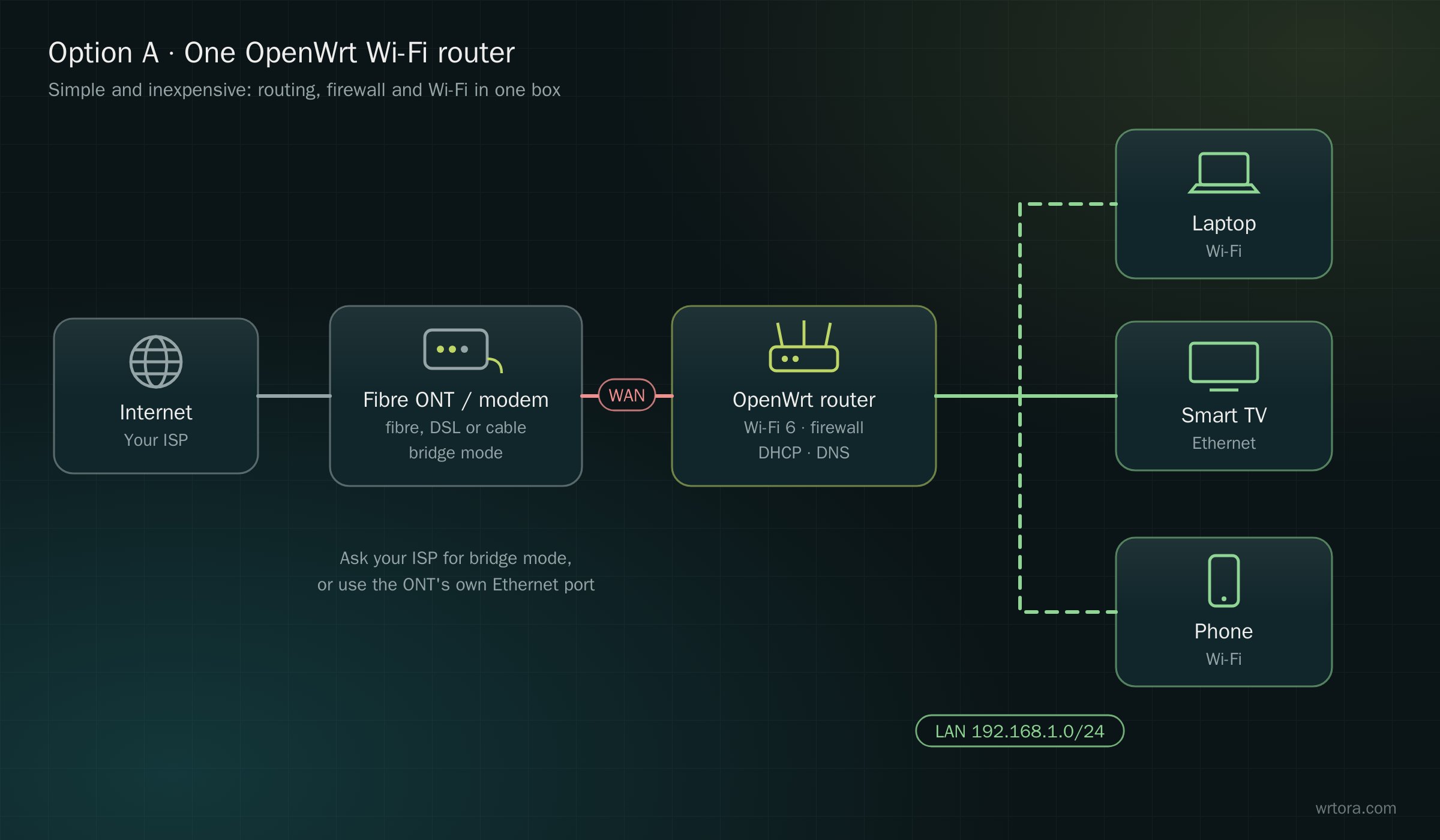
- One box does routing, firewall, DHCP, DNS and Wi-Fi
- Best for apartments and small homes where one router covers every room
- Good choices: Wi-Fi Routers such as the Xiaomi AX3000T or GL.iNet Flint 2
Option B: router PC + switch + access points
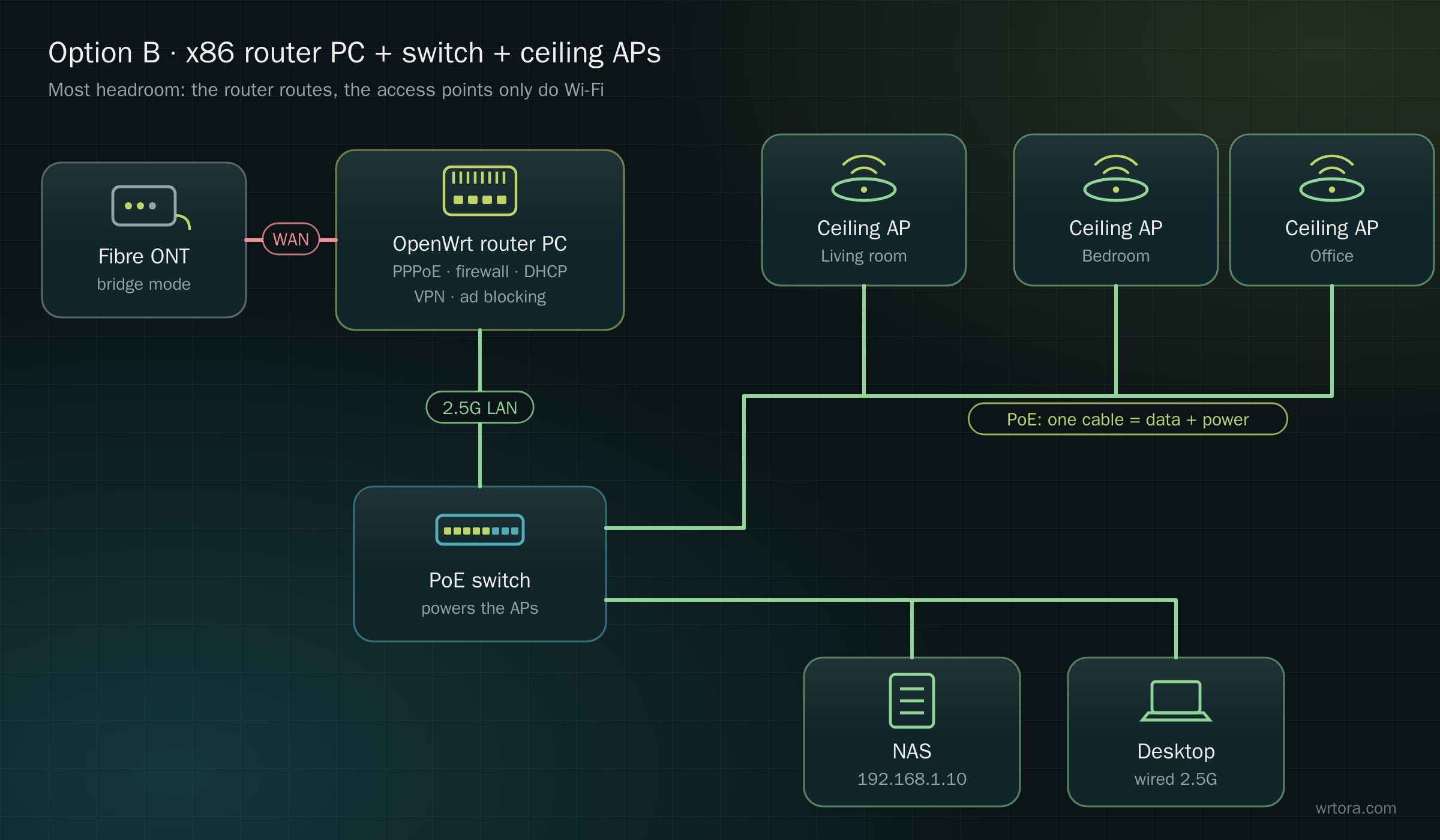
- The router PC only routes; access points only do Wi-Fi, mounted where the coverage is needed
- A PoE switch powers the access points over the same cable that carries data
- Headroom for multi-gigabit internet, VPN, ad blocking and several networks at once
- Hardware: Router PCs, x86 or ARM,, plus Wi-Fi Systems and Switches
Put the ISP box in bridge mode
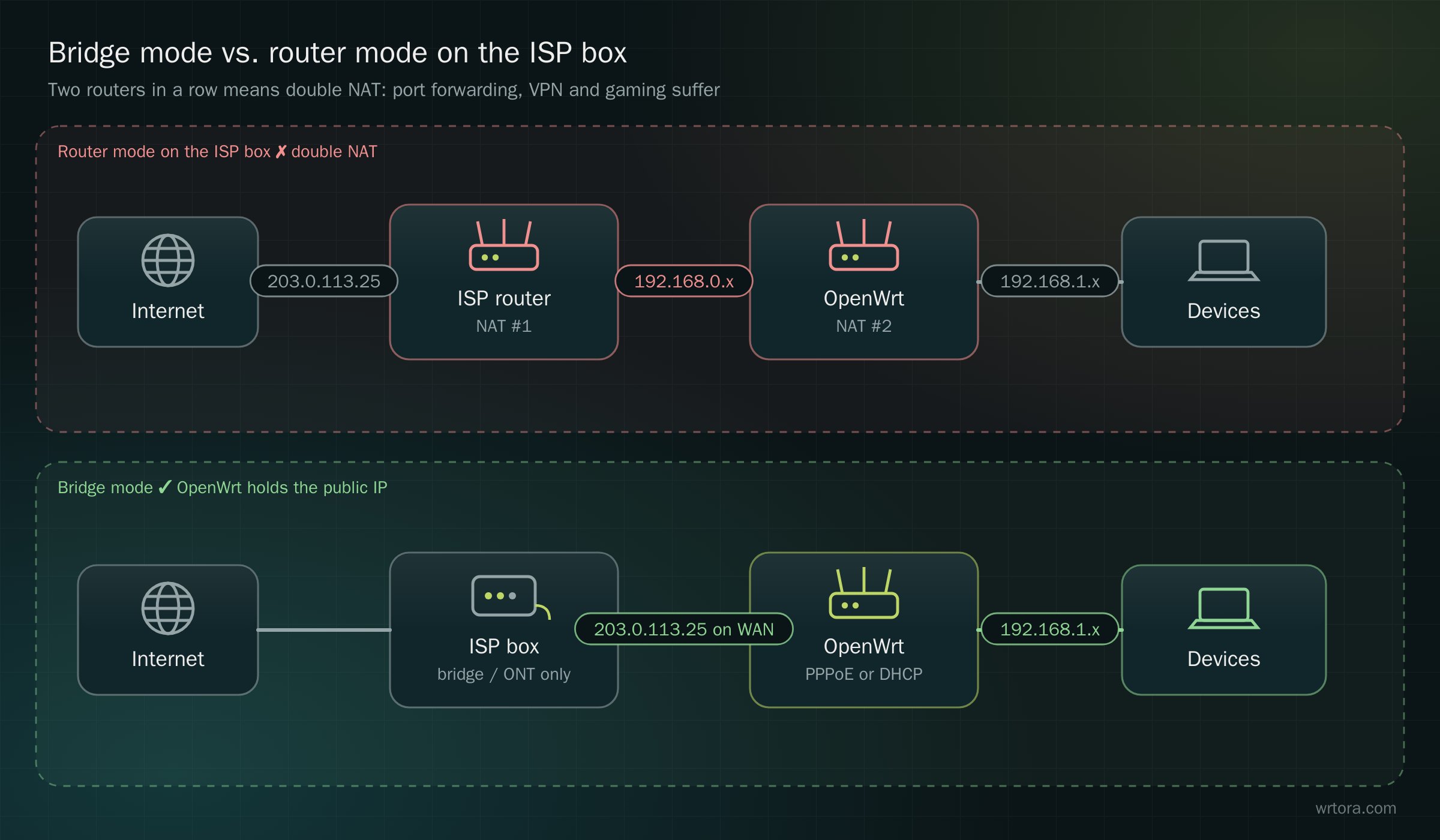
If the box from your ISP is also a router, OpenWrt behind it sits behind a second NAT. Port forwarding, VPN servers and some games then need workarounds.
- Ask your ISP to switch the box to bridge mode, or use a plain fibre ONT
- OpenWrt then dials PPPoE itself (or gets the public address by DHCP) — see First setup
- If bridge mode is not possible, put OpenWrt in the ISP router's DMZ so at least incoming traffic reaches it
Quick checklist
| Internet speed | Up to 1 Gbps: any router in our range. 2.5 Gbps and up: a router PC or BPI-R4 |
|---|---|
| Home size | One router per ~80 m² on one floor; for more, access points wired by Ethernet |
| Wiring | Ethernet to each access point gives the best Wi-Fi; mesh when cables are impossible |
| Networks | Separate IoT and guest networks? Plan VLAN-capable switches — see VLAN guide |
| Backup line | 5G or a second ISP for failover — see Dual WAN |