Dual WAN: Load Balancing and Failover
With two internet lines — fibre plus 5G, or two ISPs — OpenWrt's mwan3 package shares traffic between them and moves everything to the working line when one fails.
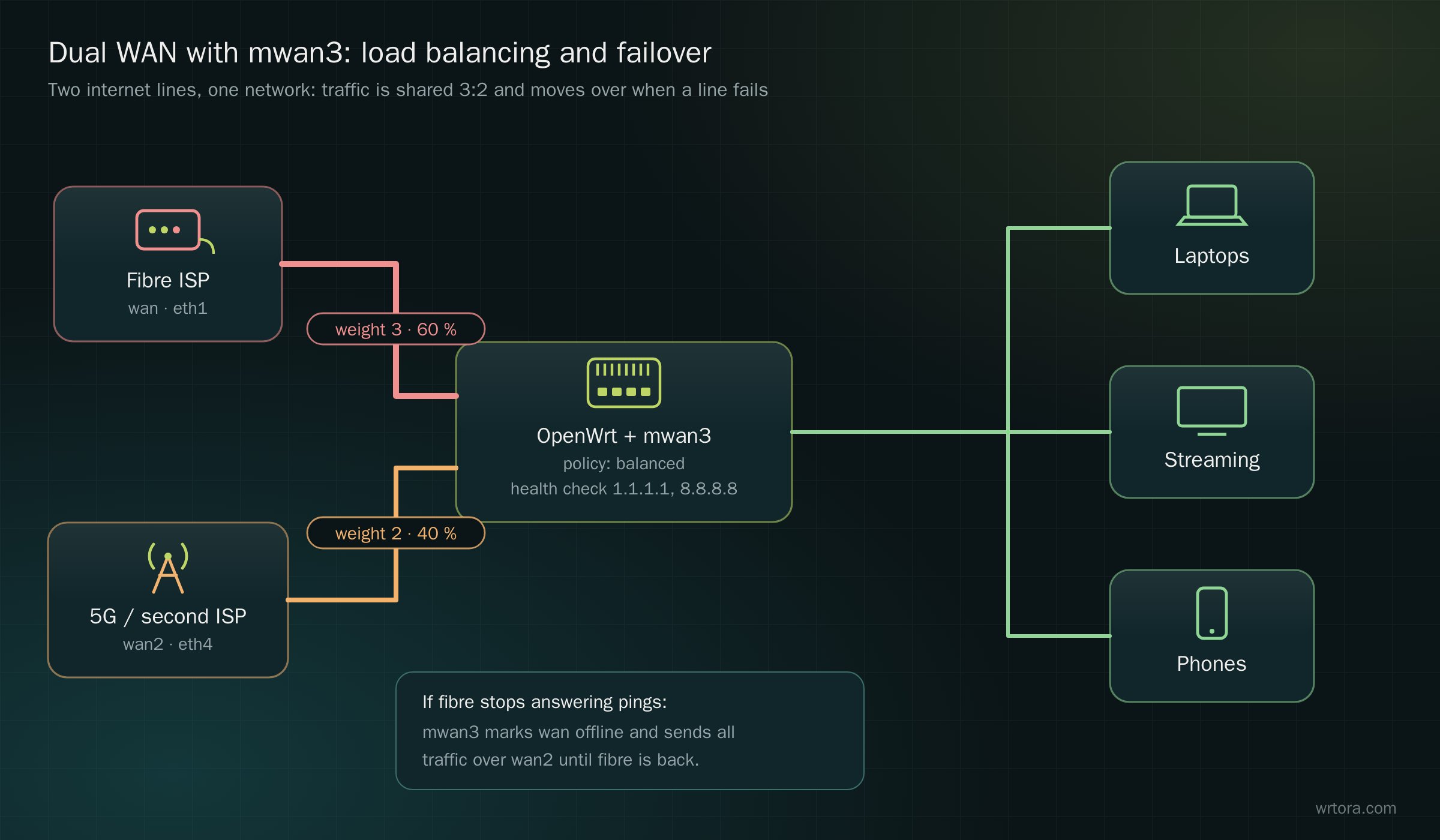
Load balancing works per connection: a single download still uses one line, but many devices and connections spread over both. Failover is the part most homes and shops need.
1. Install mwan3
System → Software → install luci-app-mwan3 (it pulls in mwan3). Or over SSH: apk add luci-app-mwan3
2. Two WAN interfaces with different metrics
- Keep wan on the first line and add wan2 for the second (DHCP client on its port, or a 5G modem)
- Edit each WAN → Advanced Settings → Use gateway metric: 10 for wan, 20 for wan2. mwan3 needs a unique metric per interface
- Put both in the wan firewall zone
3. Health checks
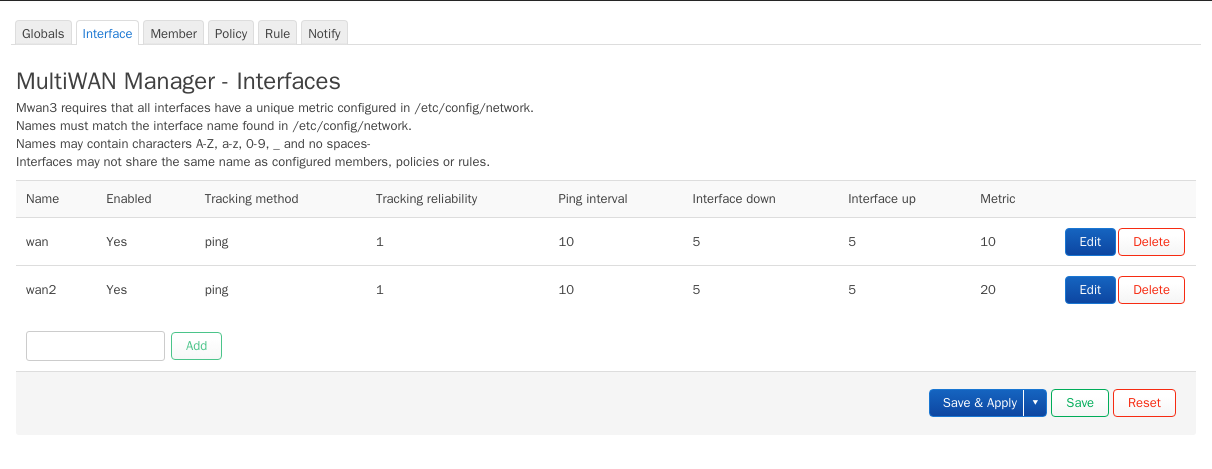
Network → MultiWAN Manager → Interface: enable both interfaces and give each two track IPs that answer ping, such as 1.1.1.1 and 8.8.8.8. When pings stop, mwan3 marks the line offline.
4. Members
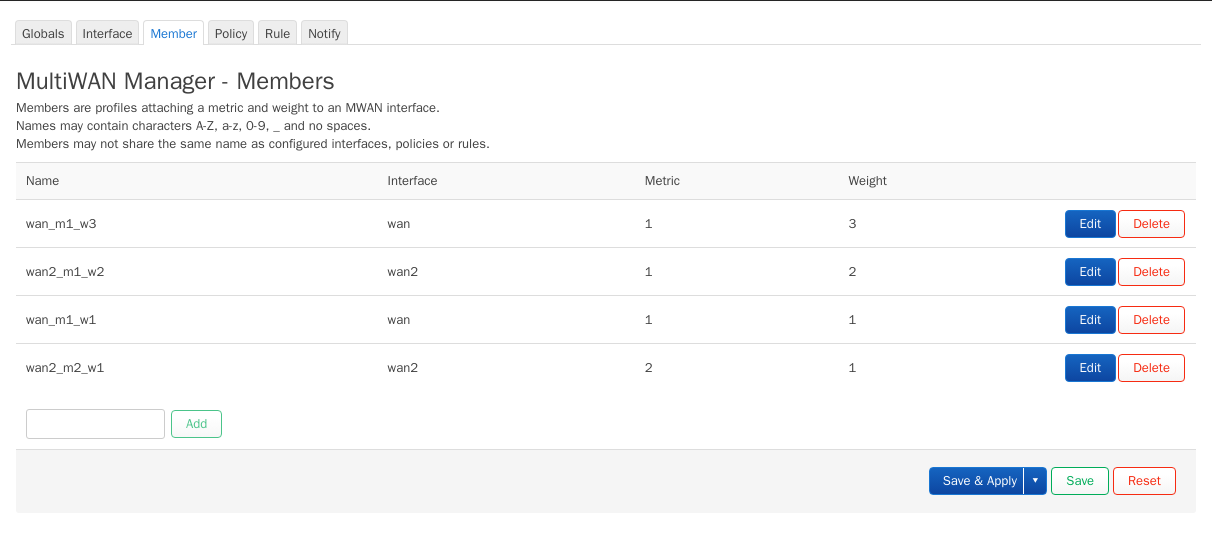
A member is an interface with a metric (priority) and a weight (share). Same metric = used together; lower metric = used first.
5. Policies
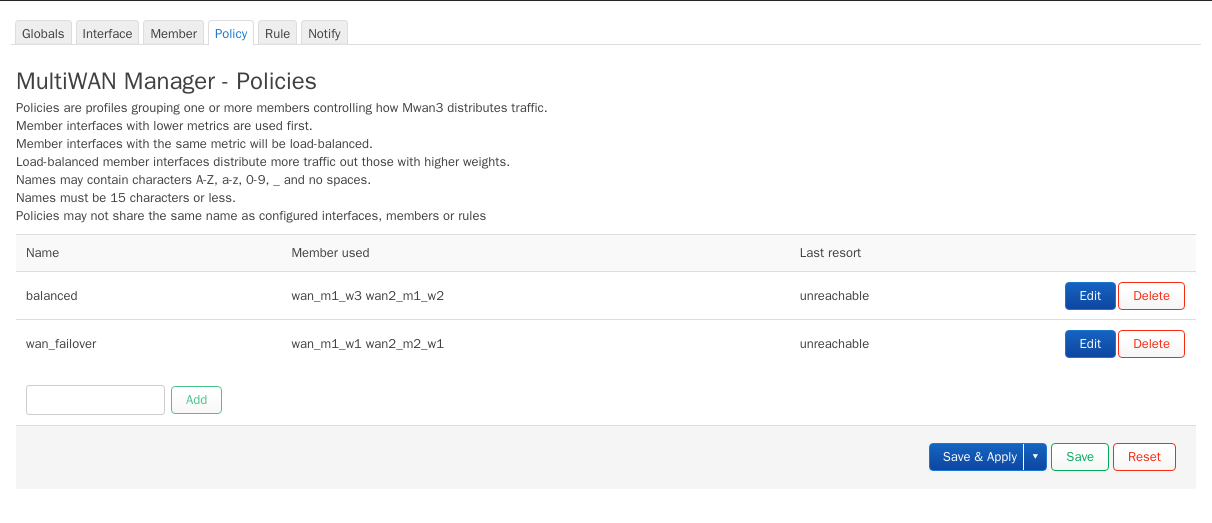
- balanced: wan_m1_w3 + wan2_m1_w2 — both lines at once, 60 % / 40 %
- wan_failover: wan_m1_w1 + wan2_m2_w1 — fibre only, 5G only when fibre is down
6. Rules
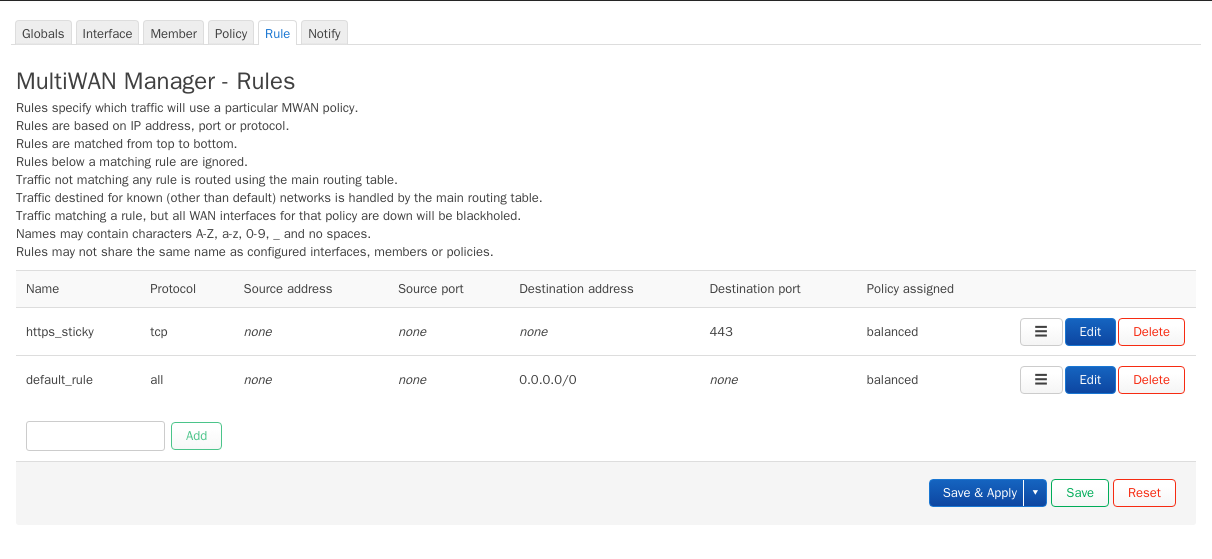
Rules pick a policy for traffic. Make HTTPS sticky so a banking session stays on one line, then send everything else to your policy. Choose wan_failover instead of balanced if the second line is metered 5G.
7. Check it
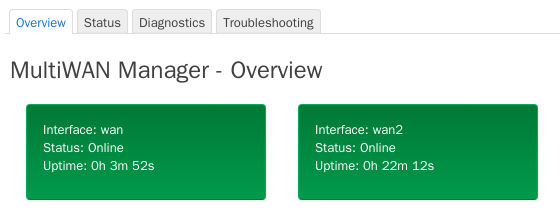
Status → MultiWAN Manager shows each line online or offline. Unplug the first line: within about a minute traffic moves to the second, and back when it returns.
Hardware
- Two WAN ports: any router PC with two or more ports
- 5G as the second line: the 5G modem kit, or a 4G/5G router on its own